Metal Detector Settings: What to Track and Why
Sensitivity, discrimination, frequency, soil — there is no single best setting. Here is how to track settings per hunt so the patterns become visible.
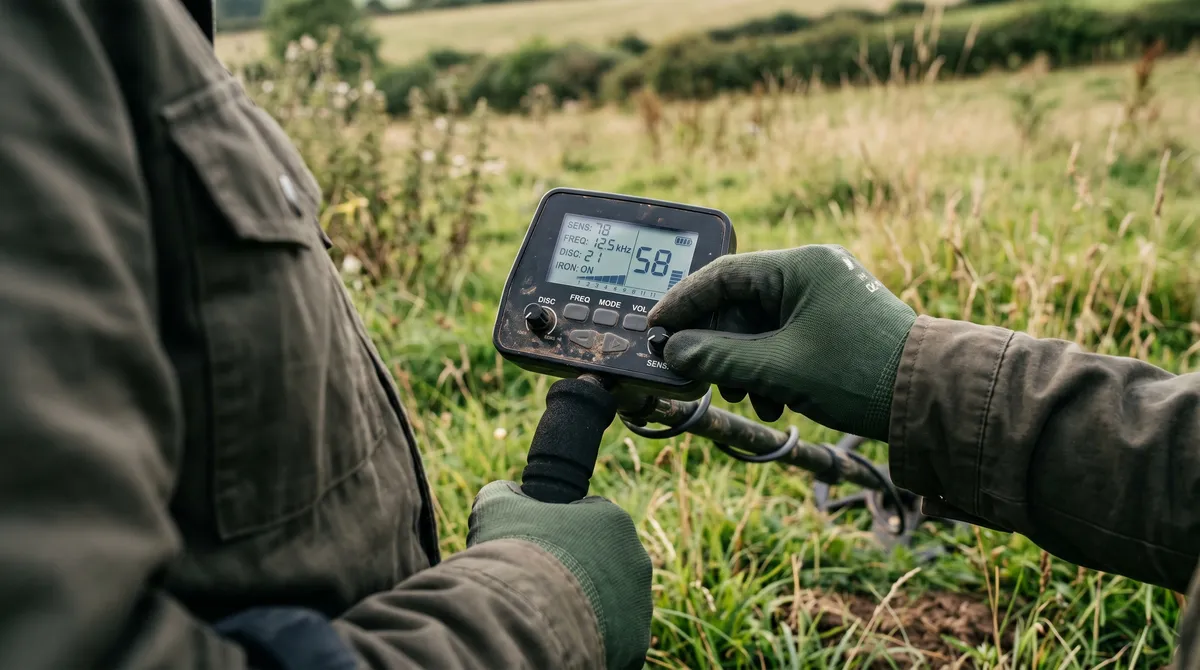
Crank the sensitivity, kill the discrimination, find more gold — if only it were that simple. Metal detector settings interact with each other and with the ground in ways that make “best settings” lists mostly useless. What actually works is treating your settings like experiments you can repeat and compare. And that starts with writing them down.
The settings that matter most
You don’t need to track every menu option. A handful drive most of your results:
- Sensitivity — how hard the detector listens. Higher finds deeper targets but also more noise and falsing.
- Discrimination — what the detector ignores. Filter too much and you skip gold along with the junk.
- Ground balance — how the detector handles your soil’s mineralisation. Get this right and everything else gets easier.
- Frequency mode (or kHz) — affects what targets you’re most sensitive to. Higher frequencies favour small and low-conductive targets like gold; lower favour high-conductive targets like silver.
These don’t work in isolation. High sensitivity in mineralised soil can force you to change your ground balance and your discrimination too. That’s the point — they’re a system, and the right balance shifts with the site.
Why “best settings” lists fail you
A setting that’s perfect on a clean rural pasture can be unusable on a trashy urban park. The soil’s different, the junk’s different, the targets are different. Copying someone else’s numbers from a forum ignores all of that.
What travels between detectorists isn’t settings — it’s method. The habit of changing one thing, seeing what it does, and keeping what works. That you can learn from anyone. Their exact sensitivity number? Probably not.
Track settings per hunt
Here’s the simple version: every hunt, record the settings you ran. Sensitivity, discrimination, frequency mode, and the soil and weather you ran them in. It takes seconds and it turns vague impressions into something you can actually compare.
Once it’s recorded, you can answer real questions:
- Did higher sensitivity actually find deeper keepers here, or just more falsing?
- Which frequency mode produced better at this beach versus that paddock?
- After rain, did the damp soil change what worked?
You can’t answer any of that from memory. You can answer all of it from a log.
In DetectingLog, each hunt saves a settings snapshot, so the record builds itself as you go. Pair that with your VDI readings and finds and the relationships start to surface.
Run repeatable experiments
The fastest way to improve is to change one variable at a time. Same site, same general conditions, one setting different — then compare the results. Over a few hunts you’ll learn more about your machine than a year of random tweaking.
It’s slower and less exciting than chasing a magic setup. It also actually works.
Where the patterns pay off
This is where logging compounds. With enough hunts recorded, DetectingLog’s analytics can show you a settings effectiveness picture — which configurations correlate with keepers, how weather lines up with your results, and how different soil types perform. That’s the premium payoff of a habit that costs you a few seconds per hunt. And it feeds straight into lifting your keeper rate.
Frequently asked questions
What are the most important metal detector settings?
Sensitivity, discrimination, ground balance, and frequency mode do most of the heavy lifting. They interact with each other and with your soil, so the best combination changes from site to site — which is exactly why tracking them per hunt is worth it.
Is there one best setting for metal detecting?
No. Anyone selling you a single magic setting is wrong. The right setup depends on your detector, the soil, the trash level, and what you're hunting for. The goal is repeatable experiments — record what you ran, see what it produced, and refine.
Why should I log my detector settings?
Because you can't compare what you don't record. Logging settings per hunt lets you see which configurations actually pulled keepers from a given site or soil type, instead of relying on memory or guesswork.
Keep reading
Metal Detecting Data: Spot Patterns Across Your Hunts
Finds per hunt, keeper rate, top locations, VDI distribution, depth bands — here is how simple stats reveal patterns your memory would miss.
Private by Default: Be Careful Sharing Detecting Locations
Why detectorists should keep their sites private — landowner trust, site preservation, theft risk — and how local-first logging protects your spots.